 SCL Events
Run the registration desk
Find each attendee, print and hand over their badge, and take a payment at the desk.
Open the desk
Where: The staff sign-in page, or The event › Event day › Registration deskDesk staff sign in with a Registration Desk Operator account and the desk opens. Organizers can open it from the event's menu.
From the demo event. Your screen shows your own event. Find the attendee
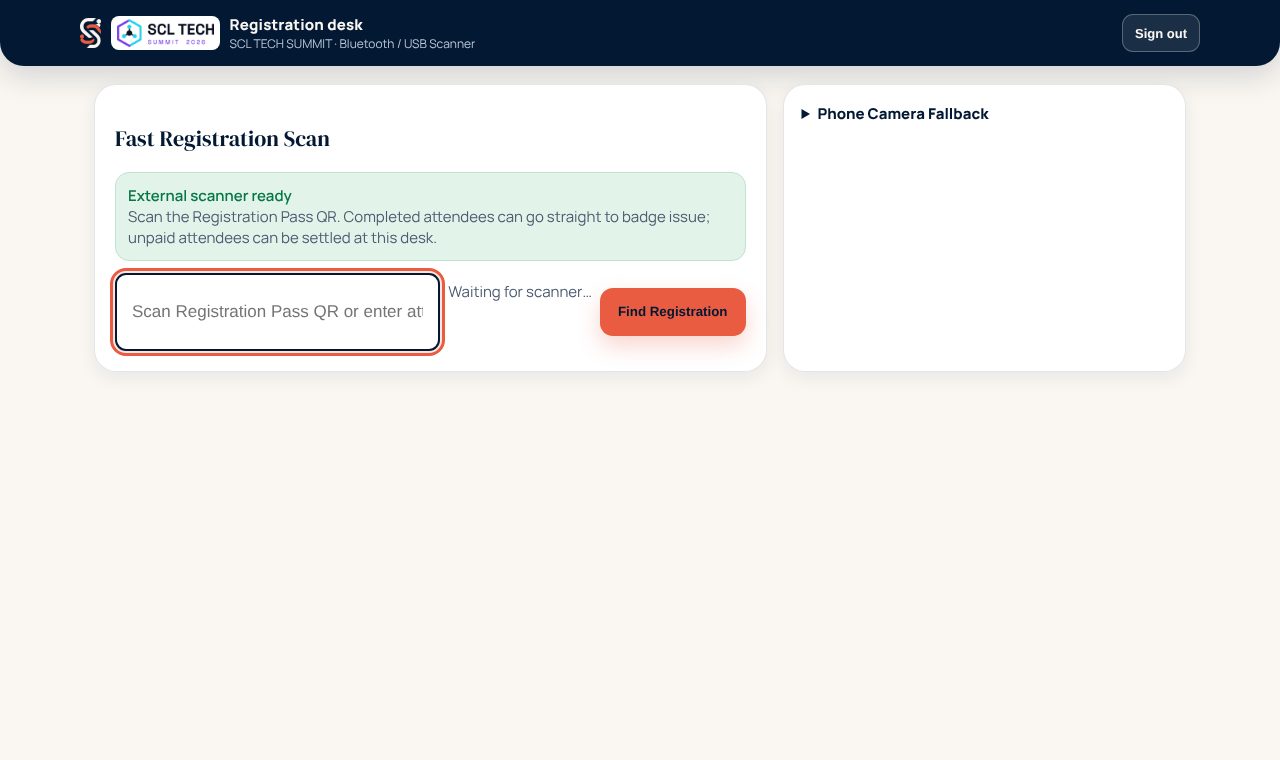
Where: Registration desk › Fast Registration ScanScan the Registration Pass QR on their phone or printed ticket. Or type their email, confirmation number or Badge ID and choose Find Registration.
Check what the desk shows
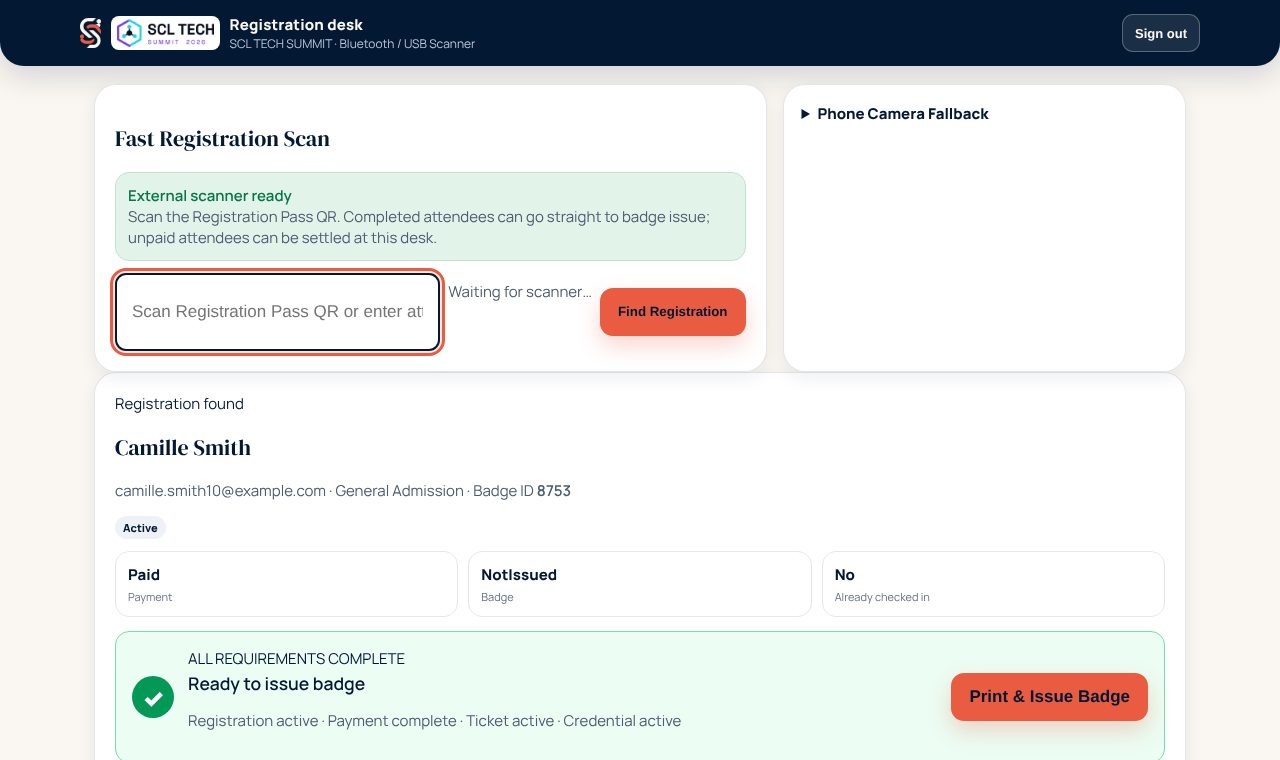
Where: Registration foundThe desk shows the registration, payment and badge status and whether they are checked in. All requirements complete means they are ready for their badge.
From the demo event. Your screen shows your own event. Print and hand over the badge
Where: Registration found › Print & Issue BadgePrint & Issue Badge sends the badge to the printer for their registration type and checks them in at the same time, so the doors let them through. If the badge jams or smudges, find them again and choose Reprint Badge.
Take a payment at the desk
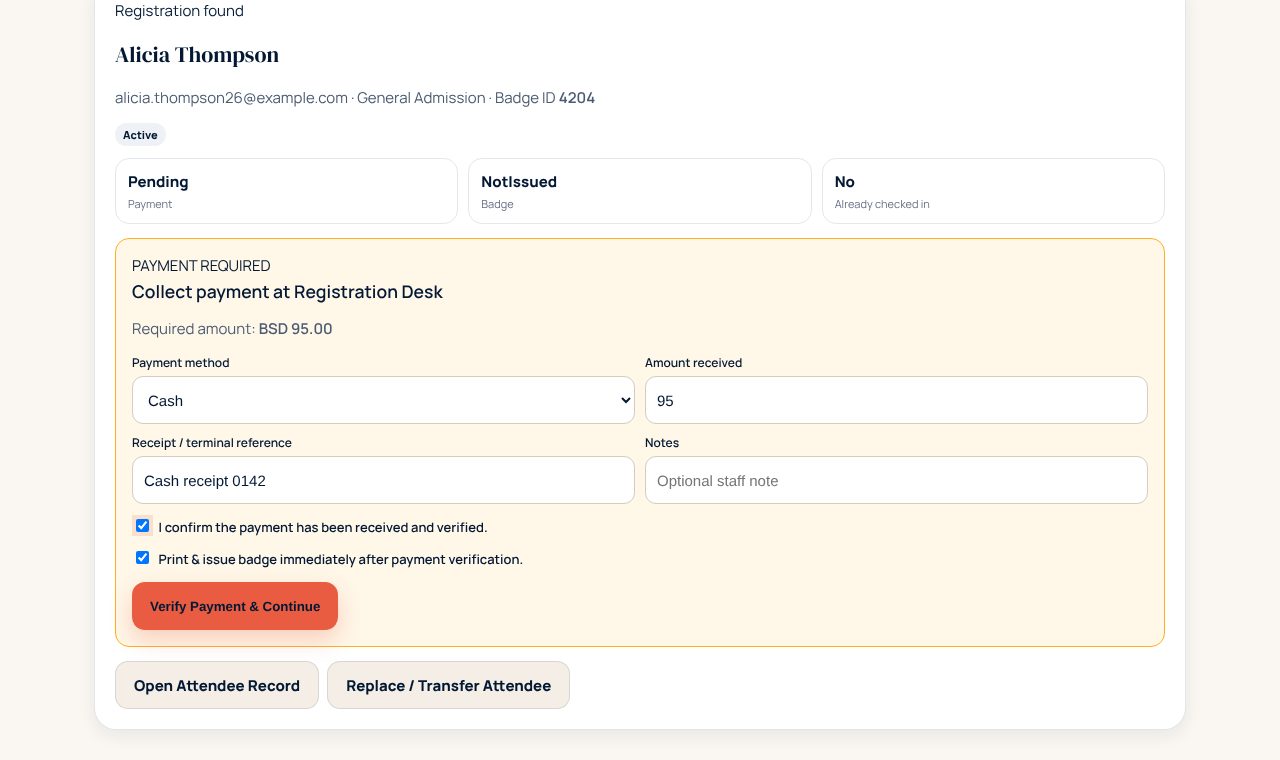
Where: Registration found › Collect payment at Registration DeskWhen payment is required, the amount due is shown. Choose how they paid (Card / POS terminal, Cash or Other verified payment), the amount received and the receipt or terminal reference. Tick that the payment has been received and verified, keep Print & issue badge ticked, and choose Verify Payment & Continue.
From the demo event. Your screen shows your own event. Someone else is coming instead
Where: Registration found › Replace / Transfer AttendeeWhen a company sends a different person, Replace / Transfer Attendee moves the registration to them. The original pass stops working, so only the new person can collect a badge.