 SCL Events
Set up tickets and prices
Registration types, their prices and places, early-bird prices, discount codes, and the event team.
Open Registration types
Where: The event › Set up › Registration typesEach registration type (General Admission, VIP and so on) shows how many places are taken and its price. The note at the top says how the types share the event's places: registration stops at the event's capacity, however the types add up.
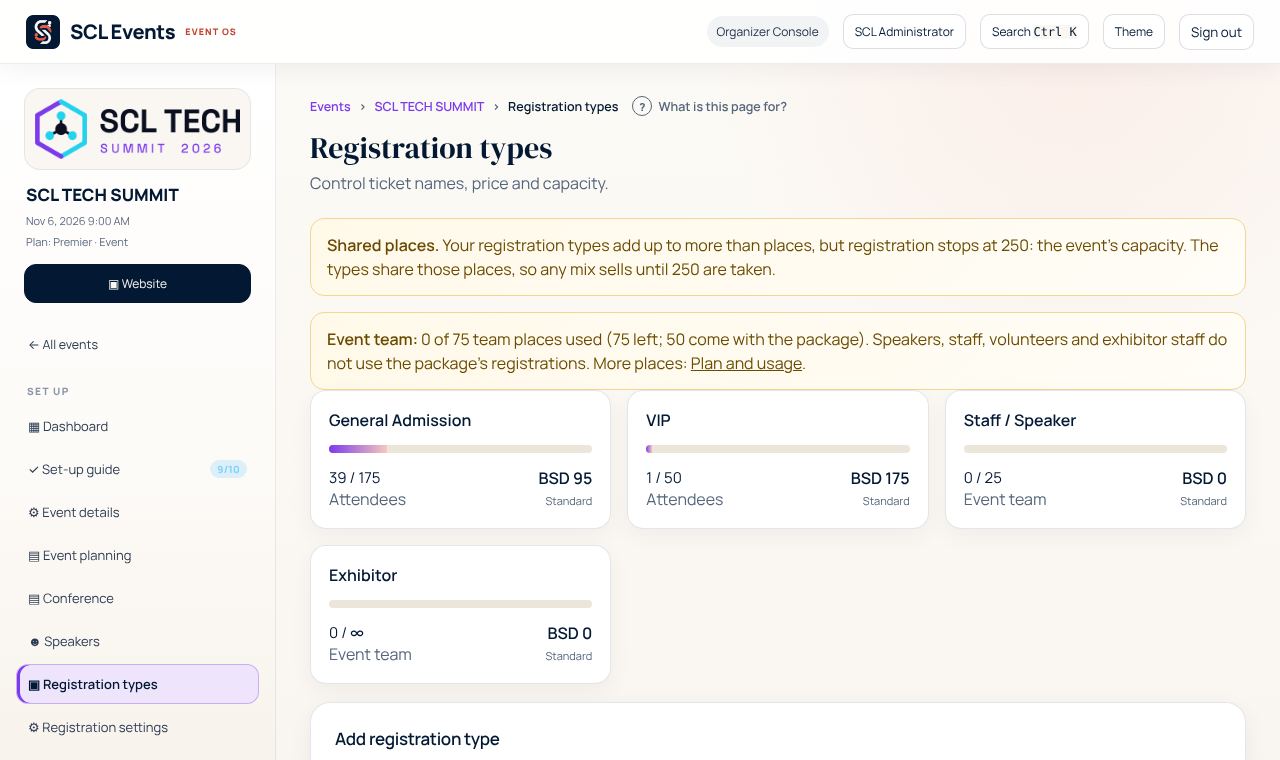
From the demo event. Your screen shows your own event. Add a registration type
Where: Registration types › Add registration typeEnter the Name, a Description, the Price (0 for free) and its Capacity. Under Who it is for, choose Attendees, or Event team for speakers, staff, volunteers, exhibitor staff and media. Event-team types use the event's team places, not your package's registrations. Choose Add Type.
Add an early-bird price
Where: Registration types › the type › Pricing TiersOpen the type and choose the Pricing Tiers tab. Enter a Tier name, the Price, and when it Starts and Ends, then choose Add Pricing Tier. While a tier is running, its price replaces the standard price.
Create discount codes
Where: The event › Set up › Event planning › Discount Codes / Promo CodesDiscount codes are set in Event planning. Each code takes a percent or a fixed amount off, with optional start and end dates, a minimum group size and a maximum number of uses. Try a code on the registration form before you send it to sponsors or attendees.
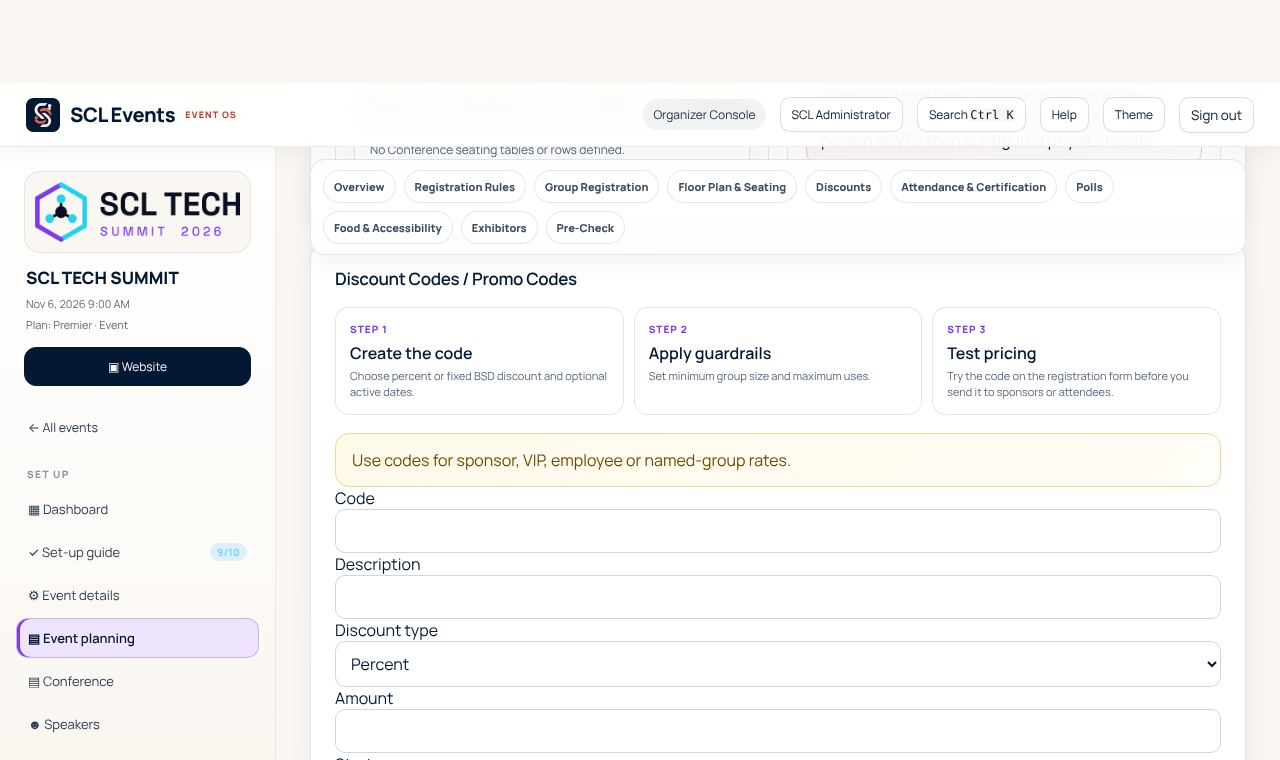
From the demo event. Your screen shows your own event. Choose what the form asks
Where: The event › Set up › Registration settings and Event questionsRegistration settings sets the registration form and its fields. Event questions adds this event's own questions, such as a meal choice with seat limits, or a notice guests must tick.