 SCL Events
Take payments by card or bank transfer
Your bank details and card gateway, how each event takes payment, and approving bank transfers.
Add your bank details
Where: Money › Payments › Bank transfer detailsEnter the Bank, Branch, Account name and Account number, and any Instructions for attendees, such as "use your name as the reference". Choose Save bank details. Attendees who choose bank transfer see these details and upload their receipt.
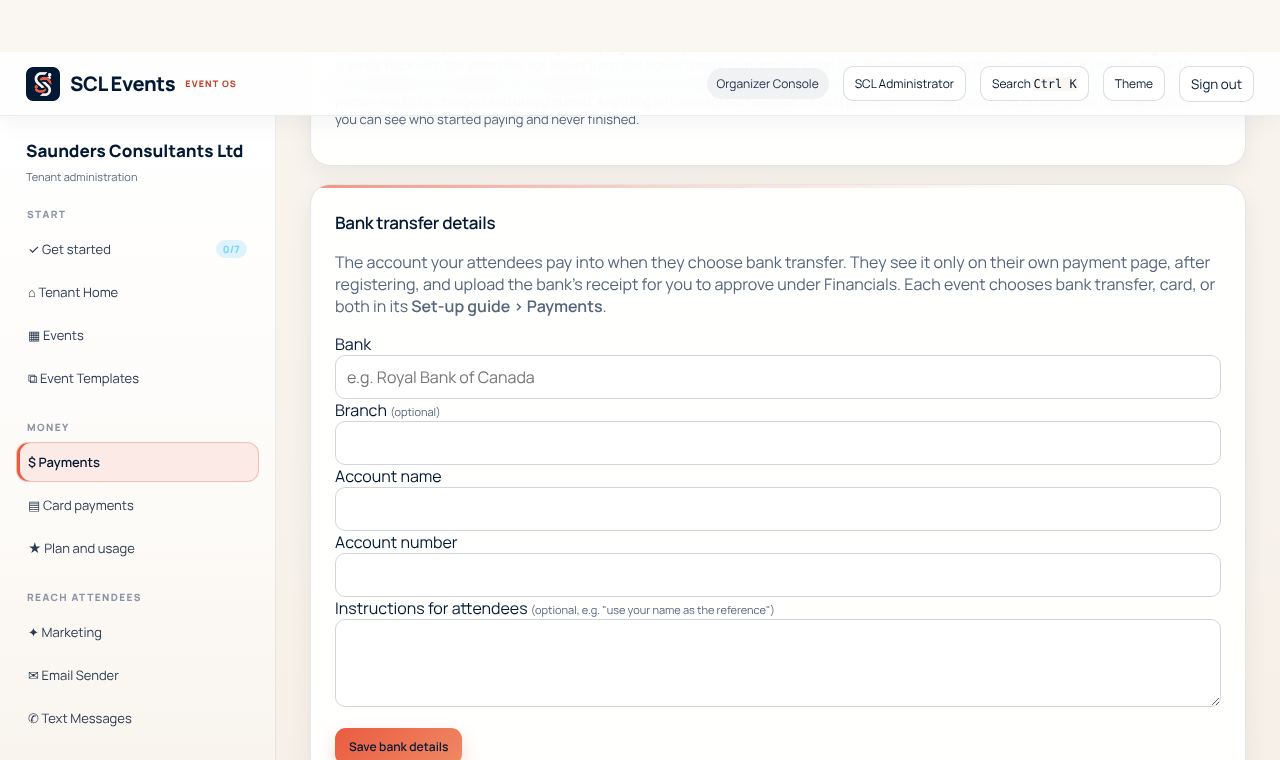
From the demo event. Your screen shows your own event. Connect card payments
Where: Money › Payments › GatewayChoose your card provider (Scotiabank Scotia eCom+, Fygaro, Charge Anywhere or PowerTranz) and enter the merchant credentials your provider gave you. Type them in yourself; never send them by email or chat. Test with the provider's test details first, then switch on Live mode and tick that you understand it charges real cards.
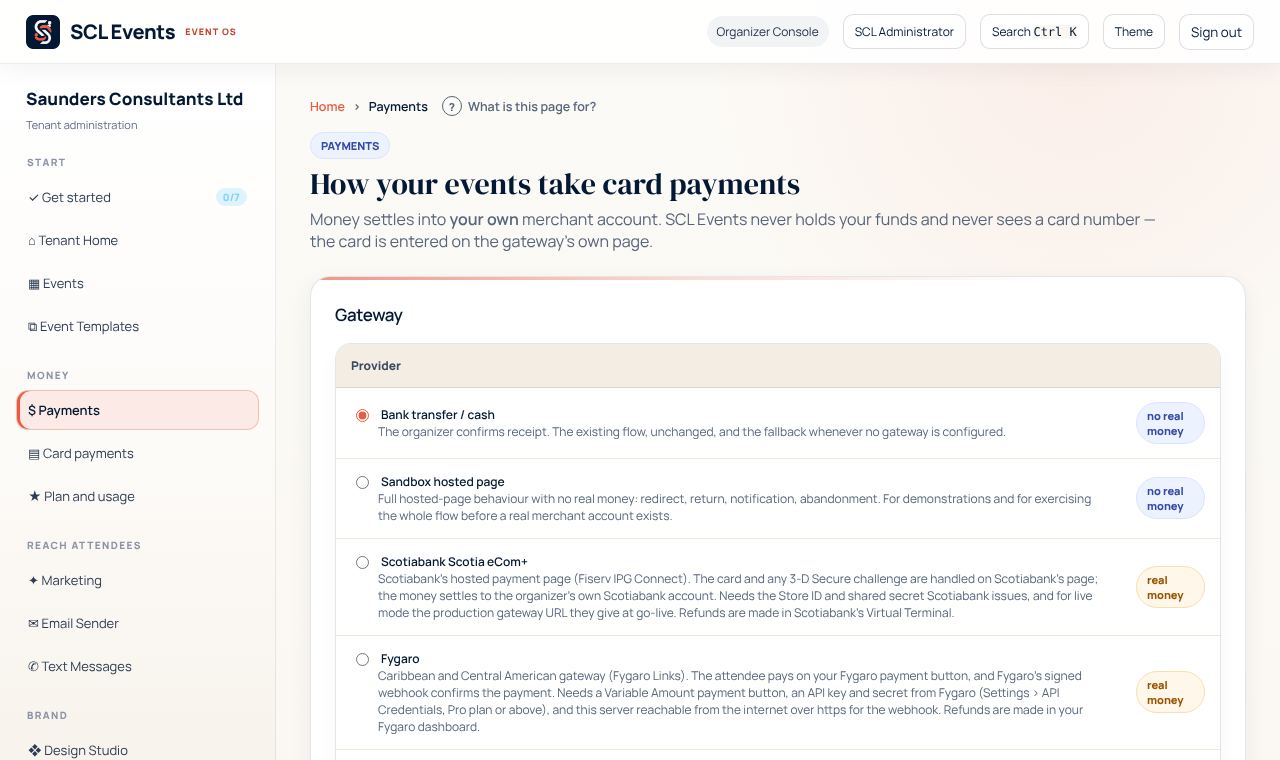
From the demo event. Your screen shows your own event. Choose how each event is paid for
Where: The event › Set-up guide › PaymentsChoose whether attendees may pay by card, bank transfer or both, and how VAT works: No VAT, Prices include VAT, or Add VAT at checkout with its rate.
Approve bank transfers
Where: The event › Money & results › Financials › Bank transfersTo review lists the transfers attendees say they made, with their receipt. Check each against your bank statement, then choose Approve payment, or Reject with the reason the attendee will see. Download for bank reconciliation (CSV) gives the list for your accountant.
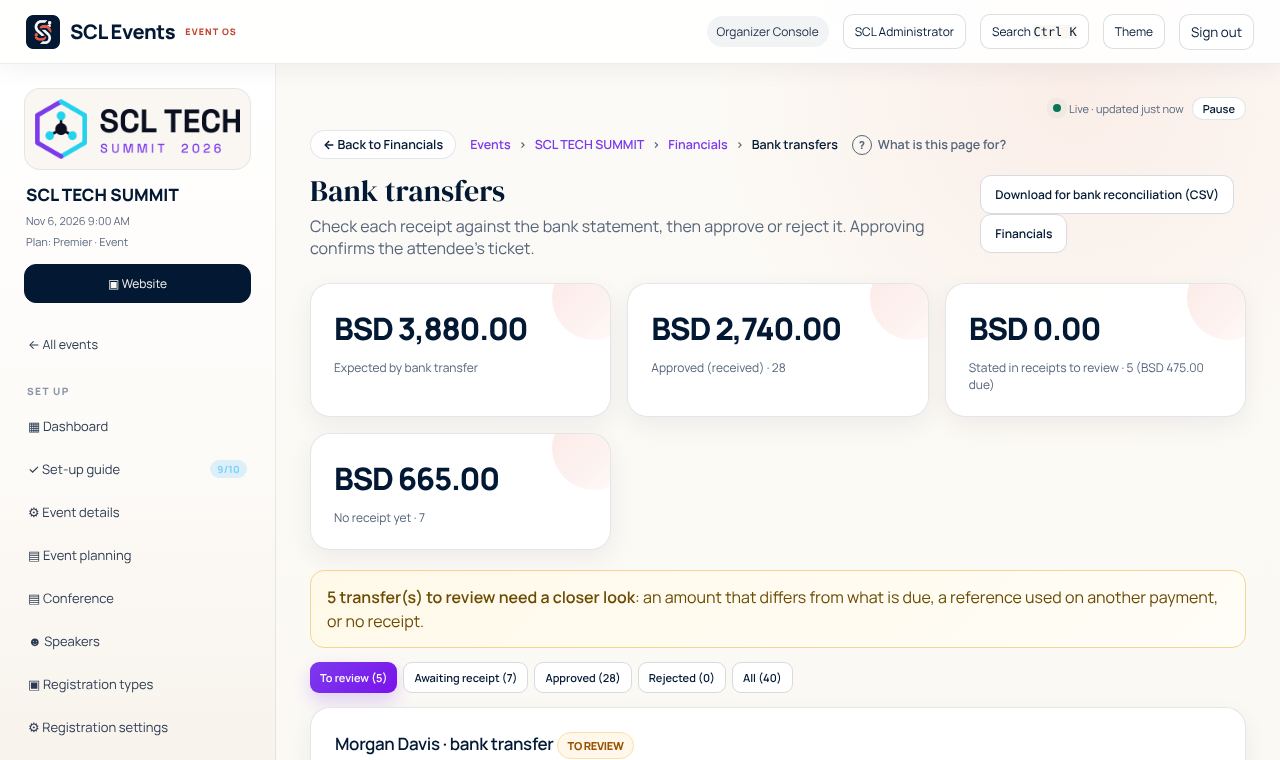
From the demo event. Your screen shows your own event. Check card payments
Where: Money › Card paymentsEvery card payment attendees started, whether it went through, and where a failed one stopped. Use it when someone says their card did not work.