 SCL Events
Sponsors and exhibitor booths
Sponsorship levels, sponsors and their logos on your page, and selling exhibitor booths.
Set your sponsorship levels
Where: The event › Money & results › Sponsors › Sponsorship tiersName each level (for example Platinum, Gold, Silver) and what it includes, such as guest tickets or a booth.
Add a sponsor
Where: Sponsors › Add a sponsorEnter the Sponsor name, Level, Guest tickets, a contact and their website. Tick to give the sponsor what its level includes, and the package price is recorded as pledged. The list then tracks what each sponsor committed and paid.
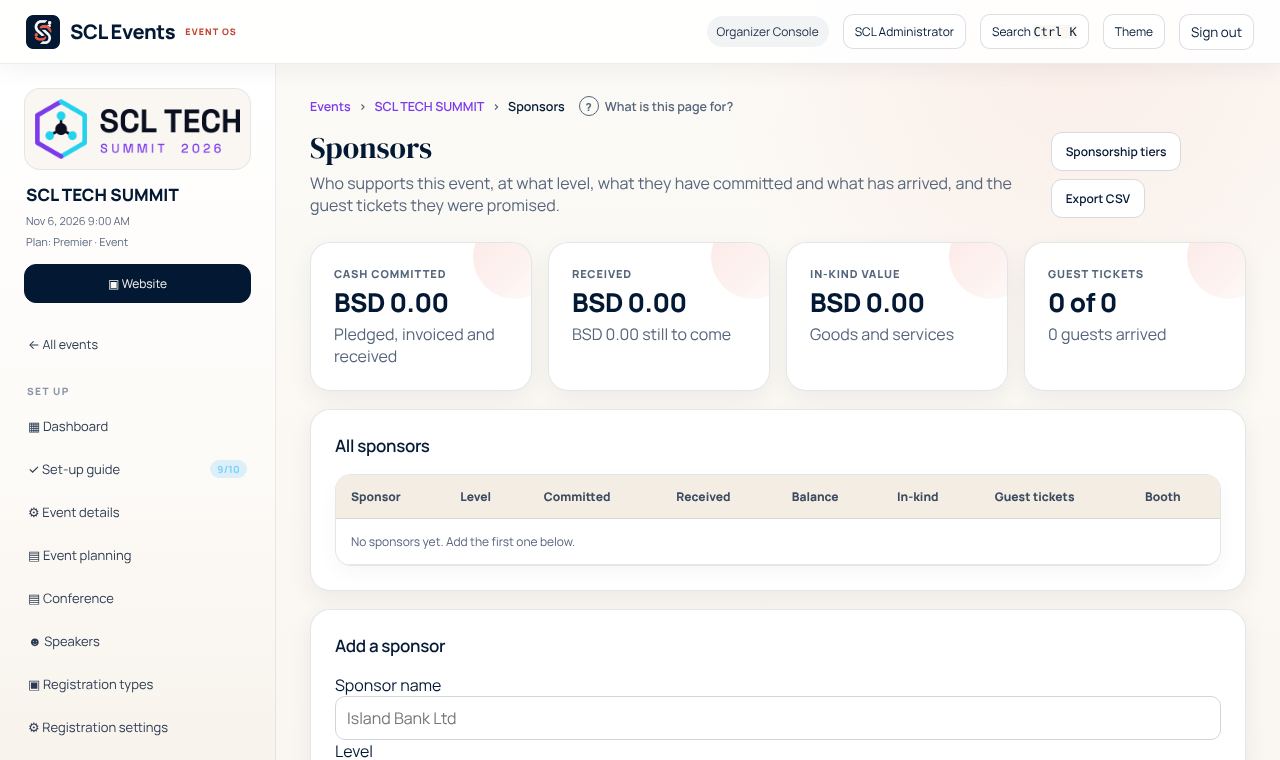
From the demo event. Your screen shows your own event. Put sponsor logos on your page
Where: Sponsors › the sponsor › LogoOpen the sponsor, upload its logo (a transparent PNG looks best) and keep Show on the event page ticked. On your showcase page, add a Sponsors section; its Heading can say what you like, such as Conference Partners.
Sell exhibitor booths
Where: The event › Set up › Event planning › Exhibitor & Booth ManagementTick Enable booth sales / lead capture, then create your booths with their prices. Exhibitors reserve and pay on the booth sales page; you confirm and hand over the booth, and their staff capture leads by scanning badges. Booths need Exhibitors in the event's plan.
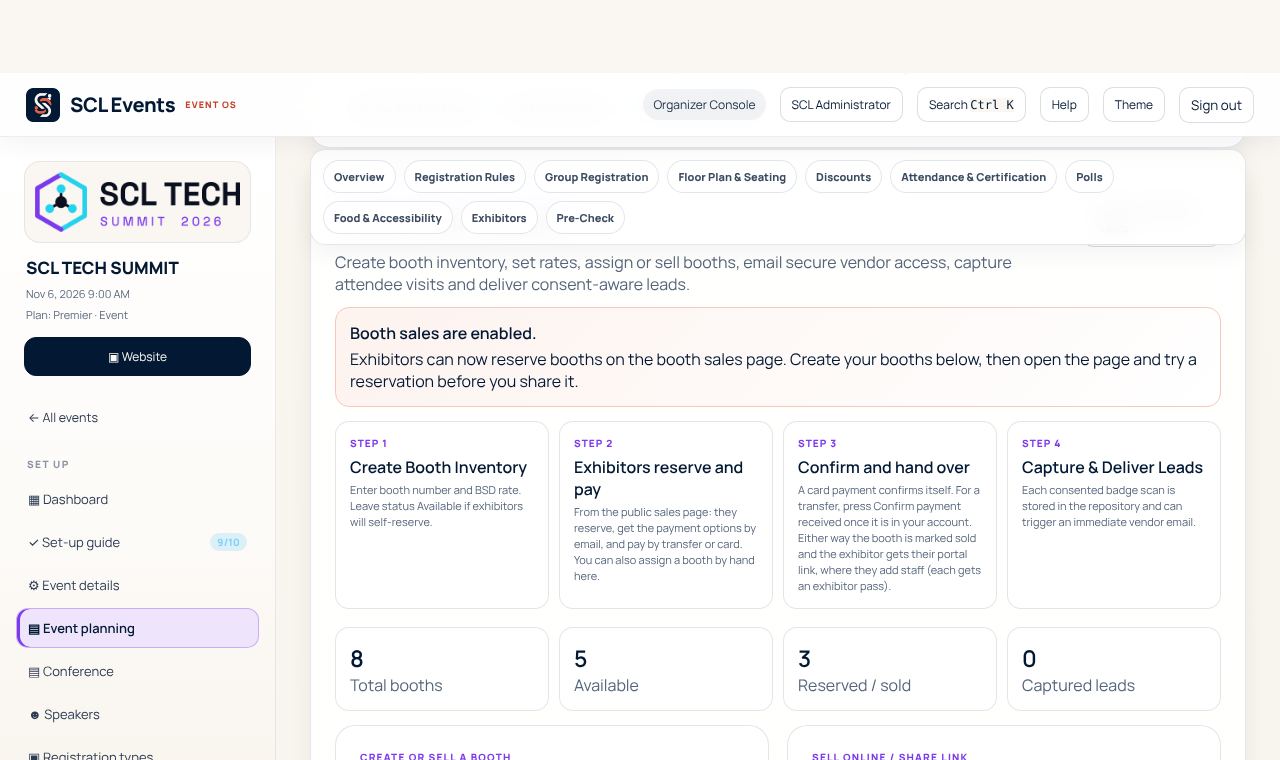
From the demo event. Your screen shows your own event. Show sponsors what they got
Where: The event › Money & results › Sponsor ROIAfter the event, Sponsor ROI shows each sponsor and exhibitor their visits, leads and scans.