 SCL Events
Run a raffle draw
Create a free raffle, let check-in enter people, close entries and draw winners on the big screen.
Create the raffle
Where: The event › Event day › Raffles › Add a raffleGive it a name, choose who is entered (for example everyone, as they check in) and list the prizes in the order they will be drawn, with who donated each. Then open it so it takes entries.
Entries come in by themselves
Where: RafflesEveryone who checks in is entered once, automatically. The page shows the number of entries. Give entries to an attendee adds entries for one person, for example a prize for a survey.
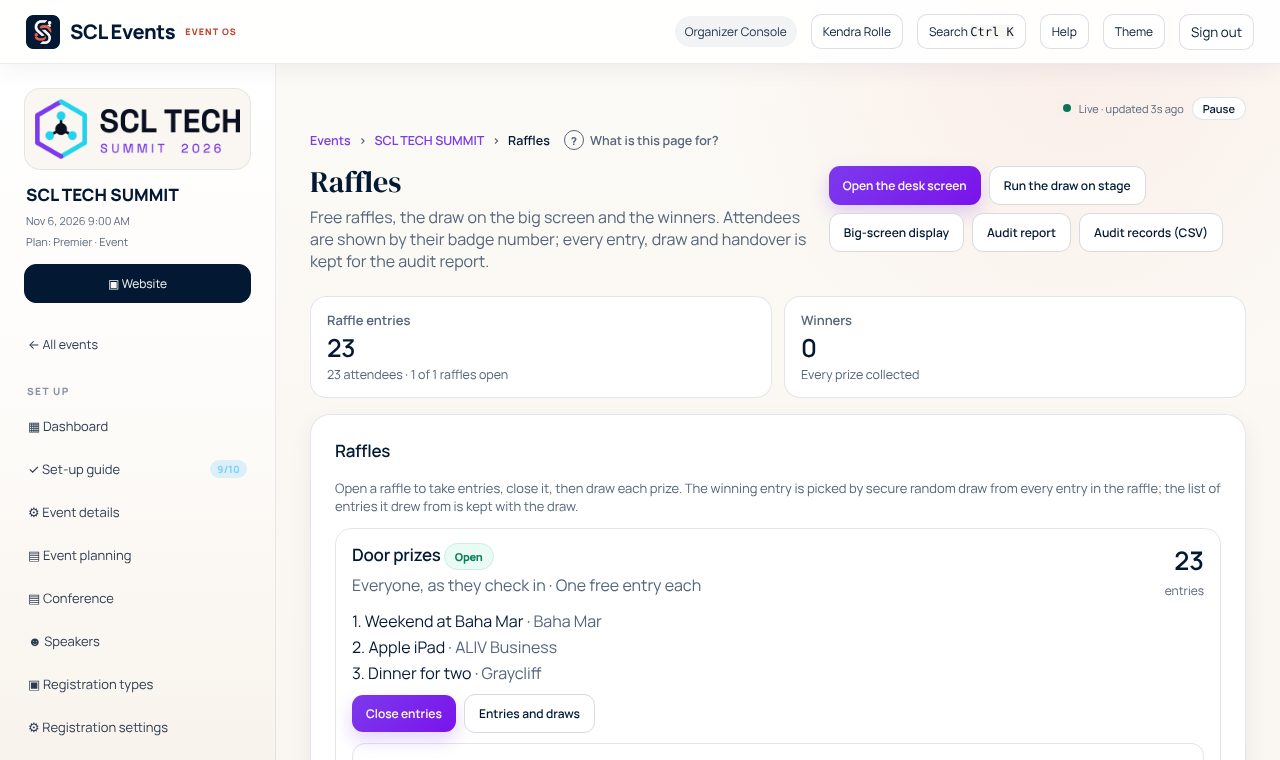
From the demo event. Your screen shows your own event. Close entries
Where: Raffles › Close entriesWhen it is time to draw, close entries. Nobody can enter after that, and the draw can start.
Put the big screen up
Where: Program › AV & presentations › Raffle draw on stage › Open the big screenOpen the big screen on the computer connected to the projector. Press F for full screen and S for the drum roll and chime. It shows the prizes and the number of entries, and winners by entry and badge number only, never by name.
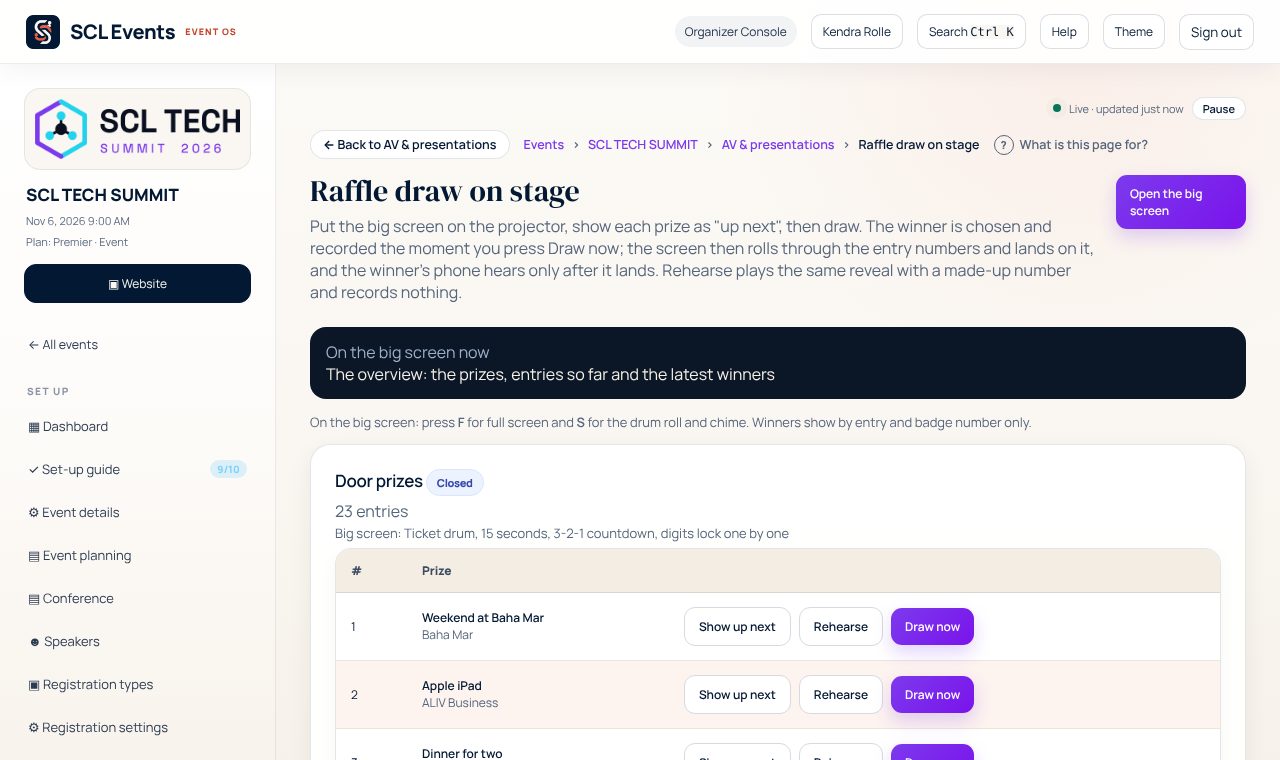
From the demo event. Your screen shows your own event. Draw each prize
Where: Raffle draw on stageShow up next puts the prize on the screen. Draw now picks the winner at random and records it at that moment; the screen then rolls through the entry numbers and lands on the winner, and the winner's phone is told after it lands. Rehearse plays the same show with a made-up number and records nothing.

From the demo event. Your screen shows your own event. Hand over the prizes
Where: Raffles › WinnersWinners are listed with their prize, ready to mark collected. If a winner cannot be found, choose Not here? Draw again and give the reason: the first draw is kept, never deleted, and the prize is drawn again.